
After mail and money, the question I hear most about life on the road is probably this one: “Okay, but how do you get internet?”
It’s a fair question. I work a full-time remote 9-to-5 from my van, and I take video calls from dispersed campsites with no cell service at all. In the evenings I play Path of Exile 2 online, out in the woods, and it works well. Most days my connection is as reliable as a home connection, and my office has a view of the mountains.
This is my whole setup: what I use, what it costs, how much power it takes, and the gear I wish I hadn’t bought.
Starlink Opened Up the Whole Country to Me
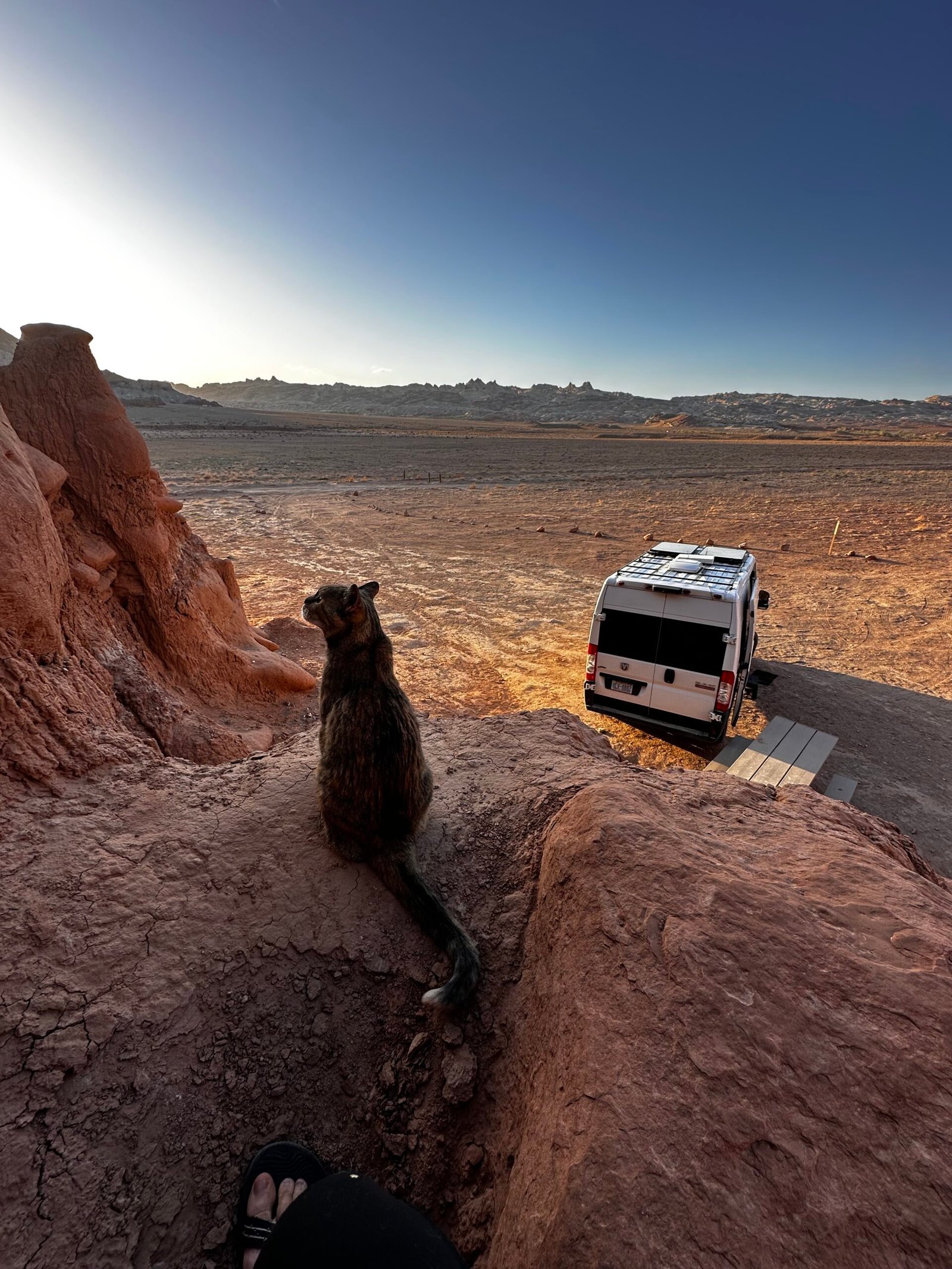
Before Starlink, I used a Verizon 5G unlimited plan, and it wasn’t quite enough. Verizon wasn’t really the problem. I travel with cats, which means I camp in very remote places, and very remote places are usually where cell coverage runs out.
Starlink changed the map for me. Suddenly I could camp almost anywhere, not just near towers. It’s been more than a work tool, too. When I got stuck on Mt. Hood in Oregon with no phone service at all, my Starlink is what let me call a tow truck. It’s helped me out of a jam more often than my phone has.
I even leave it on while I drive, so I have music and Google Maps on remote roads. That alone has made road days a lot more pleasant.
Which Starlink Should You Get? (I’d Pick the Mini Today)
I have the Starlink Roam Gen 2, flat-mounted on my roof, and it works great. But if I were starting over, I’d buy the Mini. My partner Alex uses one every day, so I get to see the difference up close.
- The Mini uses much less power. Starlink’s own spec sheet puts the Mini at 25 to 40 watts average, while the current full-size Standard dish lists 75 to 100 watts. My older Roam is on the hungrier end. In a van, where every watt comes from your batteries, that difference adds up in solar and battery costs.
- The Mini runs on 12V directly. Its spec sheet lists a 12-48V DC input, so it can run straight off a van’s 12V system. My Gen 2 runs through an AC router, which means converting battery power to household power, and some energy gets lost along the way.
- Mount it on a pole, not flat. Alex keeps his Mini on a flag pole, so he can raise it, turn it, and find a gap in the trees without moving his rig. With my flat roof mount, the van is the mount, and the van doesn’t rotate. If I could change one thing about my setup, it would be this.
How Much Clear Sky Does Starlink Need?
The dish needs a wide view of open sky; the spec sheets list a 110-degree field of view. In practice, choosing a campsite is also choosing your internet.
- You don’t need a completely open site anymore. In the early days, I picked campsites with almost no trees. The network is more forgiving now, and some trees around the edges are fine. You just can’t park right under the canopy.
- Since getting Starlink, I haven’t had to move camp for signal. Back when I relied on cell service, that happened pretty regularly.
- Snow is the only thing that’s knocked it out. One winter morning my dish went dark even with pre-heat mode on. I climbed up, brushed the snow off, and it came right back. Rain, wind, and desert heat haven’t been a problem.
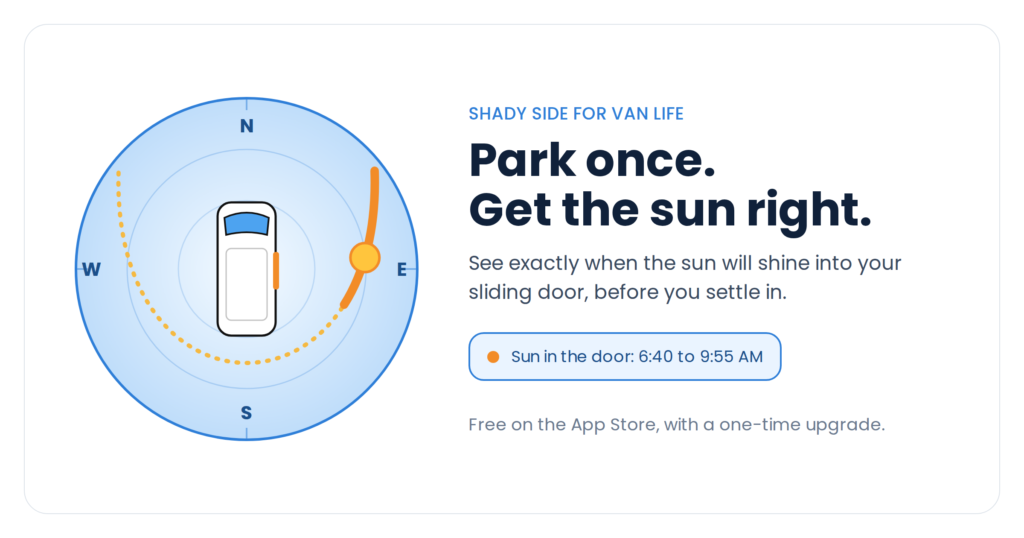
Since I park in the open for Starlink and my solar panels, I can’t count on trees for shade, so I use the direction I park instead. I built an app called Shady Side for Van Life that shows you when the sun will shine into your sliding door, so you can pick the shadiest way to park. The upgrade also helps you aim portable solar panels. It’s free with a one-time upgrade, and I wrote more about which way to park your van.
Can You Really Work a 9-to-5 on It?
Yes. My whole job runs on it. My team knows I live in a van, and it hasn’t affected my work.
- Video calls are smooth. They’re about as reliable as anyone else’s on my team.
- In three years, it has gone down during work hours only once, during a Starlink outage that affected everyone. I could have driven to town, but I waited it out, and it was back within the hour.
- The only other time I lost connection: I was borrowing someone else’s Starlink, and they drove away with it. There’s no router setting for that.
What It Costs
The honest part: I pay $175 a month for Starlink Roam and $100 a month for Verizon. That’s a lot. It’s also what lets me earn a full-time salary from the woods, so for me it’s worth it. A couple of ways to bring the cost down:
- Trim the phone plan, not the Starlink. A budget carrier like Visible can give you a backup line for a fraction of what I pay Verizon, and I plan to switch.
- If you earn money on the road with your own business, even a side one, the business-use share of your internet bill is generally deductible as an ordinary and necessary business expense; the IRS covers this in Publication 334, Tax Guide for Small Business. I write off half of each bill. Everyone’s situation is different, so check with a tax professional. I’m a cat mom, not an accountant.
- Roaming hasn’t been an issue. Crossing state lines is no problem, and even Mexico worked fine.
Example Power Requirements for Internet & Computers
Starlink is only as good as the power system behind it, and this is the part that’s easy to overlook. Here’s a sample day, using rough estimates:
- Starlink Mini, 12 hours at roughly 30W average = 360 watt-hours
- MacBook Air, 2 hours of charging at 35W = 70 Wh
- iPhone, 1 hour of fast charging at 20W = 20 Wh
- Roof fan on medium, 6 hours at about 20W = 120 Wh
- 12V compressor fridge, running 24/7 (the compressor cycles on and off) = about 600 Wh
That comes to roughly 1,170 watt-hours a day, or about 100 amp-hours from a 12V battery bank. These are estimates. Heat makes the fridge work harder, fan speeds vary, and a full-size dish roughly doubles the Starlink line. For a setup like this, something around a 200Ah lithium bank with 300 to 400 watts of solar helps keep a cloudy day from cutting your workday short. It’s worth working out your power needs before you buy a dish.
Or you can do what I do: budget your power, download what you need for offline use, and try to camp in sunny spots. I only have 200W of solar, but I upgraded to a 4000Wh battery setup, and I have a Bluetti DC-to-DC charger so I can charge while I drive (though I don’t drive every day). It’s still tight, and I can’t run the internet 12 hours a day.
Skip the Signal Booster (and Other Ways to Save)
- I wouldn’t bother with a signal booster. I had a WeBoost. If I had one bar, it would bump me up to two. The difference was so small that fiddling with it took more time than it saved, and they aren’t cheap. Once I had Starlink, I stopped using it altogether.
- Campground wifi depends on how close you are. It works near the office and fades the farther out your site is. It’s fine in a pinch, but I wouldn’t count on it.
- Coffee shops are a nice change of scenery. I enjoy working from one now and then, but my campsite is my real office.
- There is a lower-cost way to do this. If you don’t have a remote job or cats to think about, a phone plan and camping near towns can work well. It worked for me for a while, back when I camped closer to civilization. I just found that I love being online and I love being far from everything, and Starlink is what lets me have both.
Internet on the Road: Quick Checklist
- Consider the Mini for the lower power draw and 12V input, and put it on a pole so you can find open sky.
- Pick campsites with a view of the sky. Some trees are fine now; parking right under them isn’t.
- Keep a cell plan as backup, ideally on an inexpensive carrier.
- Work out your power needs before you buy. Batteries and solar first, the dish second.
- Skip the booster and put that money toward Starlink instead.
- Brush the snow off in the morning. Pre-heat mode can only do so much.
Living on the road used to mean choosing between a beautiful spot and a good connection. These days I can have both: a work call from a quiet mountainside, with two cats asleep on the bed behind me. I’m grateful for that every day.
Sources
- Starlink: Mini Specifications (spec sheet, PDF)
- Starlink: Standard Specifications (spec sheet, PDF)
- Internal Revenue Service: Publication 334, Tax Guide for Small Business
Leave a Reply